
How to Compress a GIF for Discord — Get Under 8MB in 3 Steps
😫 Hit the 8MB upload limit again? Don't buy Nitro just for a GIF.
You found the perfect GIF. You drag it into Discord. Then: "Your file could not be uploaded."
That 8MB wall has killed the moment for everyone at some point. This guide walks through exactly how to get it under the limit — in three steps, no software install required.
Just need the limits explained? See Discord GIF Size Limit 2026: Every Threshold Explained — it covers the 8MB upload cap, the 256KB auto-play threshold, server boost levels, and emoji/sticker sizes in one place.
What Makes a GIF So Large (The 30-Second Version)
GIF is a format from 1987 with no modern compression. Every frame is stored as a separate image — no interframe compression like video uses. A 10-second clip as an MP4 might be 1–2MB. The same clip as a GIF? Easily 20–30MB.
Three things drive the size:
Frame rate is the biggest lever. Dropping from 24fps to 12fps cuts roughly half the frames and roughly half the file size. On short looping clips, most people genuinely can't tell the difference.
Dimensions matter a lot. A GIF at 800px wide has four times the pixels of the same GIF at 400px wide. For something in a Discord chat window, 480px is more than enough.
Color count helps on simpler graphics but won't save you if frame rate and dimensions are the real problem.
How to Compress a GIF for Discord: 3 Steps
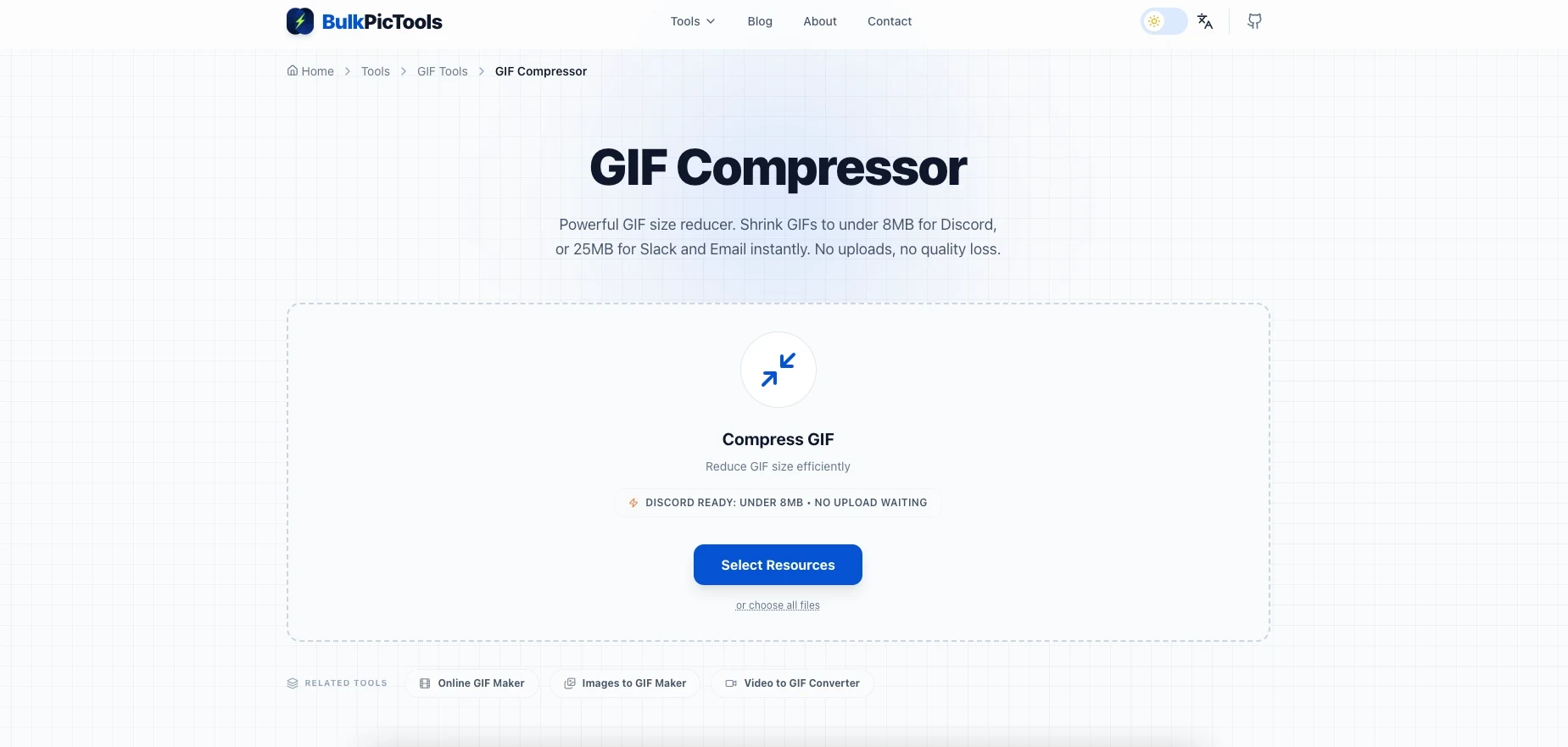
Step 1 — Upload to BulkPicTools GIF Compressor
Go to bulkpictools.com/tools/gif/gif-compressor. Click Upload GIF and pick your file. The original file size appears immediately — no guessing.
Everything runs in your browser. Your GIF is never sent to any server.
Step 2 — Set Compression Level to High
For Discord's 8MB limit, set compression to High. This adjusts frame rate, dimensions, and color palette in combination — the same approach ffmpeg uses, just without the command line.
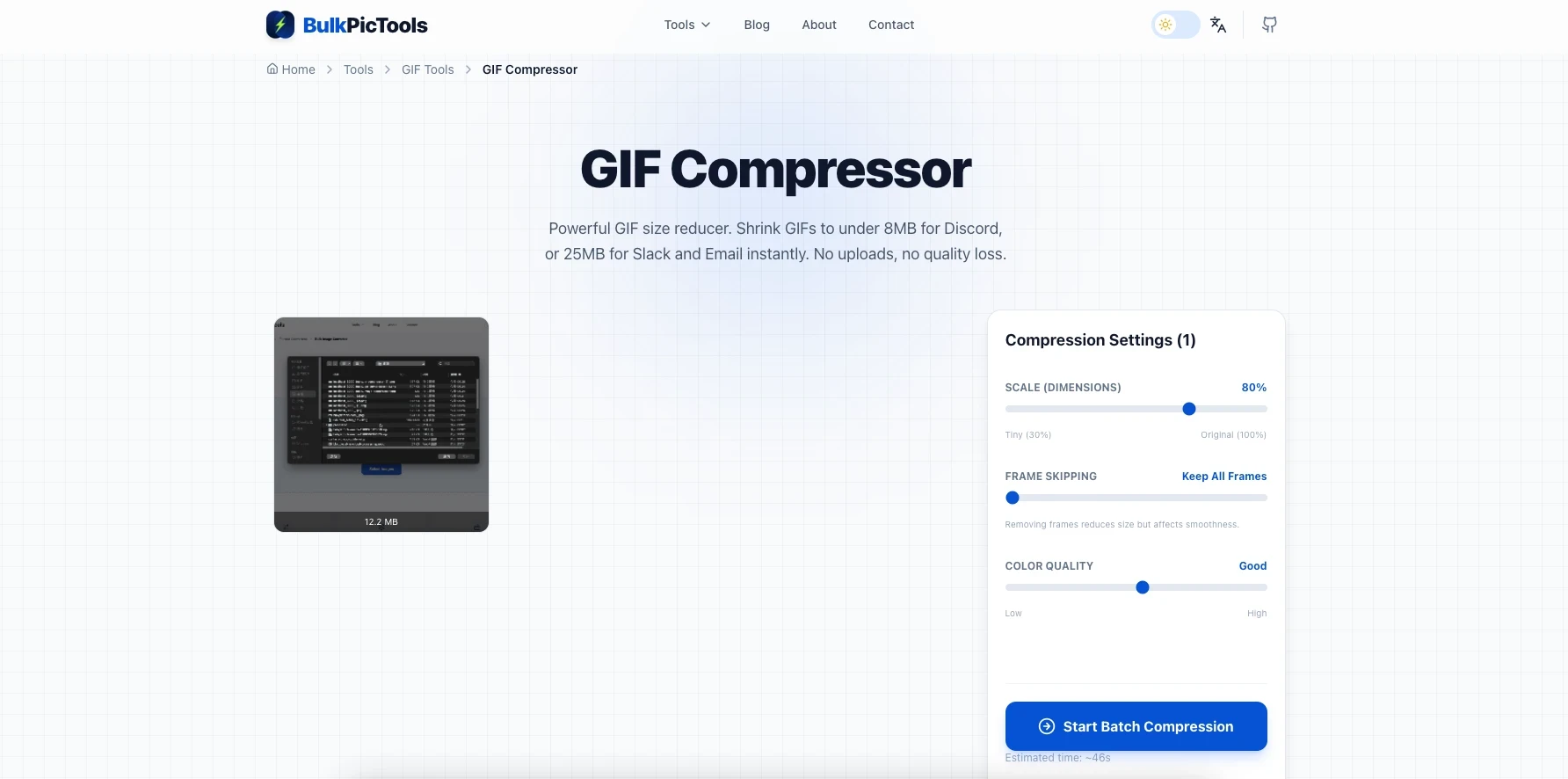
Step 3 — Check the Output Size and Download
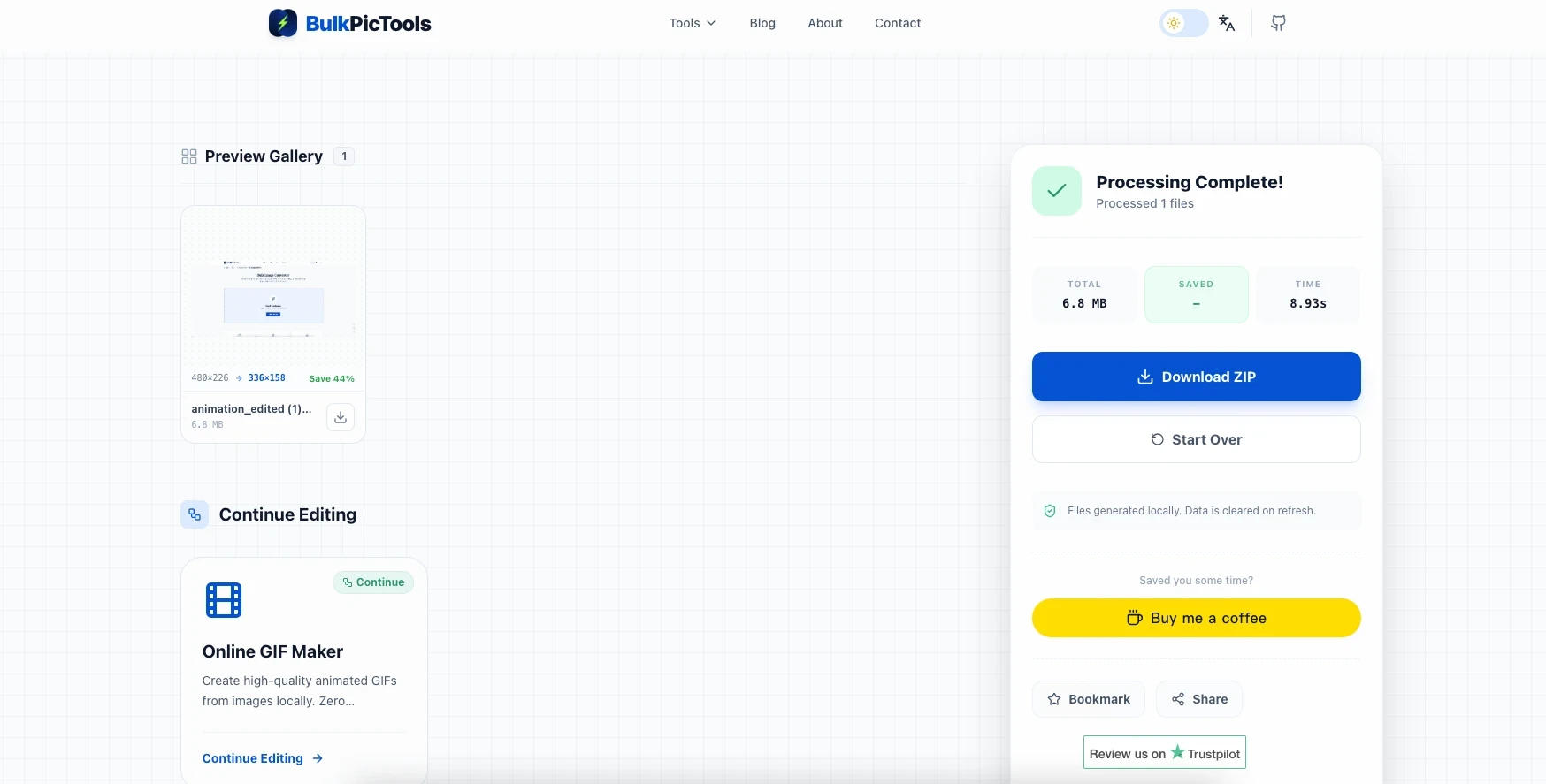
A 20MB GIF typically comes out at 3–6MB at high compression. There's some quality loss — unavoidable — but for memes and reaction GIFs it's rarely noticeable.
If the result is still over 8MB, run it through again on maximum compression, or use the ffmpeg method below for more control.
Compressing Discord Emoji and Stickers (256KB / 512KB)
The 8MB chat limit is the one most people hit first, but Discord emoji and stickers have much tighter limits. Here's what each one needs:
| Asset Type | Size Limit | Dimensions | Notes |
|---|---|---|---|
| Animated emoji | 256 KB | 128×128 px | Works for all users, no Nitro required |
| Animated sticker | 512 KB | 320×320 px | Server stickers; uploaded by admins |
| Animated avatar (GIF) | 8 MB | — | Nitro only |
Compressing a Discord Emoji GIF to Under 256KB
256KB is tight. A standard GIF that looks fine at 20MB will need significant reduction to hit this target.
- Go to GIF Resizer first — use the Discord Emoji preset to resize to exactly 128×128 px
- Then run the resized GIF through GIF Compressor and target under 250KB (a little headroom helps)
- If it still won't get there: reduce the animation to 2–3 seconds maximum, or drop frame rate to 10fps before compressing again
The resize step matters. Compressing a large-canvas GIF down to 256KB loses far more quality than resizing the canvas first, then compressing.
Compressing a Discord Sticker GIF to Under 512KB
512KB is more workable than 256KB, but 320×320 is a large canvas for a GIF to fit inside it.
- GIF Resizer → set to exactly 320×320 px
- GIF Compressor → target 490KB (leaves a small buffer)
- If still too large: keep the animation under 3 seconds, use 12fps
Honestly, both emoji and sticker compression are iterative. Plan for 2–3 passes if quality matters to you.
If You Have Photoshop
Photoshop's "Save for Web" dialog is useful here because you can see the estimated file size update live as you change settings.
- Open the GIF (
File → Open) - Go to
File → Export → Save for Web (Legacy) - Adjust: Colors down to 128 or 64; Image Size width to 480px; Looping to Forever
- The file size estimate sits in the bottom-left — keep tweaking until it's under 8MB
- Save
GIMP (Free Desktop Option)
- Open in GIMP (
File → Open) - Scale down:
Image → Scale Image→ set width to 480px - Reduce palette:
Image → Mode → Indexed→ max colors 128 or 64 - Export:
File → Export As→.gifextension → check "As animation"
ffmpeg (For Full Control)
ffmpeg gives you the best quality-to-size ratio. If you've never used it, the official download page has installers for Windows, Mac, and Linux.
Resize to 480px wide:
ffmpeg -i input.gif -vf scale=480:-1 output.gif
Resize + drop to 12fps:
ffmpeg -i input.gif -vf "scale=480:-1,fps=12" output.gif
Full optimization (resize + fps + palette — best quality at smallest size):
ffmpeg -i input.gif -vf "scale=480:-1,fps=12,split[s0][s1];[s0]palettegen=max_colors=64[p];[s1][p]paletteuse" output.gif
The last command is what good online compressors are doing behind the scenes.
Still Over 8MB After Compressing?
Some GIFs just won't compress down far enough as GIFs. Here's what actually works:
Send it as MP4 instead. Discord auto-plays videos inline, muted and looping — it looks exactly like a GIF in chat. A 25MB GIF is often under 2MB as an MP4. Convert with ffmpeg:
ffmpeg -i input.gif -movflags faststart -pix_fmt yuv420p -vf "scale=trunc(iw/2)*2:trunc(ih/2)*2" output.mp4
Cut the length. A GIF over 5 seconds is almost always cuttable. Most reaction GIFs are under 3 seconds. Shaving 2 seconds makes a real dent.
Go smaller on dimensions. If 480px is still too big, try 360px. In Discord's chat layout, most GIFs are displayed small enough that you won't notice.
Start lean from video. If you're making a GIF from a video clip, the Video to GIF converter lets you set dimensions and frame rate before conversion — much easier than compressing a bloated output afterwards.
FAQ
Does the 8MB limit apply to GIFs from Tenor or GIPHY?
No. When you use Discord's built-in GIF picker or paste a Tenor/GIPHY link, the GIF is hosted on their servers. No file is being uploaded on your end, so the size limit doesn't apply. The 8MB cap only matters when you're uploading a file from your own device.
I compressed it but now it looks awful. Any fix?
Usually that's from color reduction being too aggressive. Try again with 128 colors instead of 64. If the GIF is still too big, switching to MP4 will give much better visual quality at a smaller size than any GIF compression can manage.
Is Nitro worth it just for bigger uploads?
Probably not for this specific reason. Nitro Basic is $3.99/month and gets you 50MB — plenty for large GIFs — but if the only thing pushing you toward it is the occasional oversized GIF, compression is faster and cheaper.
Why does my GIF look fine in preview but blurry in Discord?
Discord resizes images to fit the chat window, which adds its own blur on top of whatever compression you applied. Starting at 480px wide helps because it avoids a double-downscale.
Does this work on mobile Discord too?
The 8MB limit is the same on mobile, desktop, and browser — it's tied to your account, not the device.
Quick Recap
The 8MB limit is annoying but rarely a dead end. An online compressor handles most cases in under a minute. For emoji or stickers, resize first, then compress to the target. For anything stubborn, send it as MP4 — Discord treats them the same in chat.
→ Compress your GIF — free, no account needed
Other GIF Tools
- Video to GIF — Clip a video and convert to GIF, with size controls so you don't start oversized.
- GIF Resizer — Resize to exact dimensions with Discord emoji and sticker presets.
- Images to GIF — Stitch a sequence of images into an animated GIF.
- GIF Maker — Build a GIF from scratch with control over speed and output size.
Have questions or feedback? Contact