
Does Gmail, Discord & X Strip EXIF Data? Here's the Truth
🔍 See exactly what your photo is carrying — then strip it in one click. No upload, stays on your device.
Take a photo of your coffee this morning. Looks innocent enough — just a flat white on a wooden table.
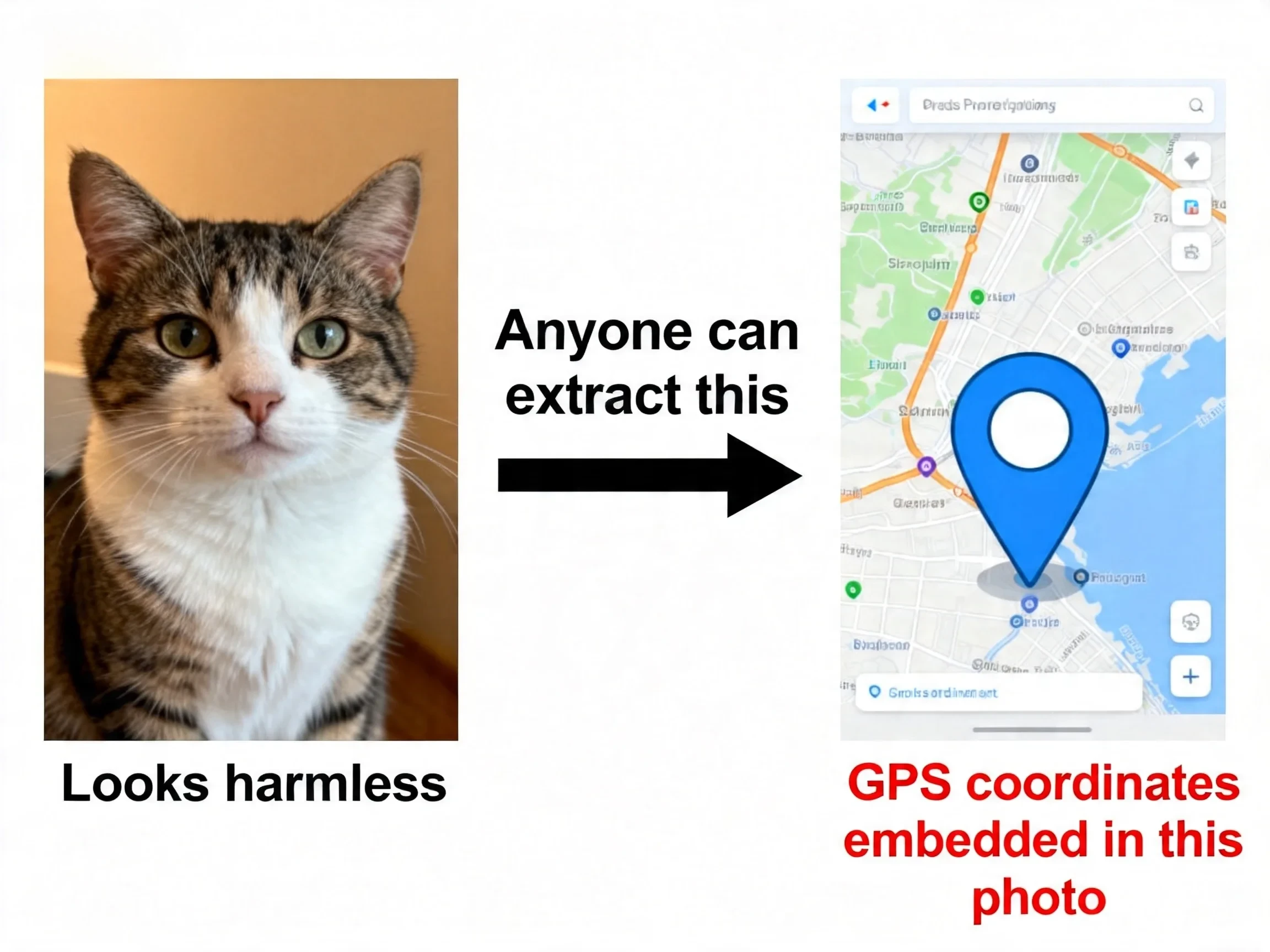
But embedded in that image file is your exact GPS coordinates, the time you took it down to the second, and the model number of your phone. If you posted it to a forum or sent it as an email attachment, anyone who downloaded that file could open it and know where you were at 8:42am.
This isn't a niche security concern. It's how every smartphone photo works by default. The data is called EXIF, and most people have no idea it's there.
What's Actually Inside Your Photos
EXIF stands for Exchangeable Image File Format. It's a block of text data embedded in the image file itself — invisible when you look at the photo, but readable by anyone with the right tool (which, by the way, takes about ten seconds to find online).
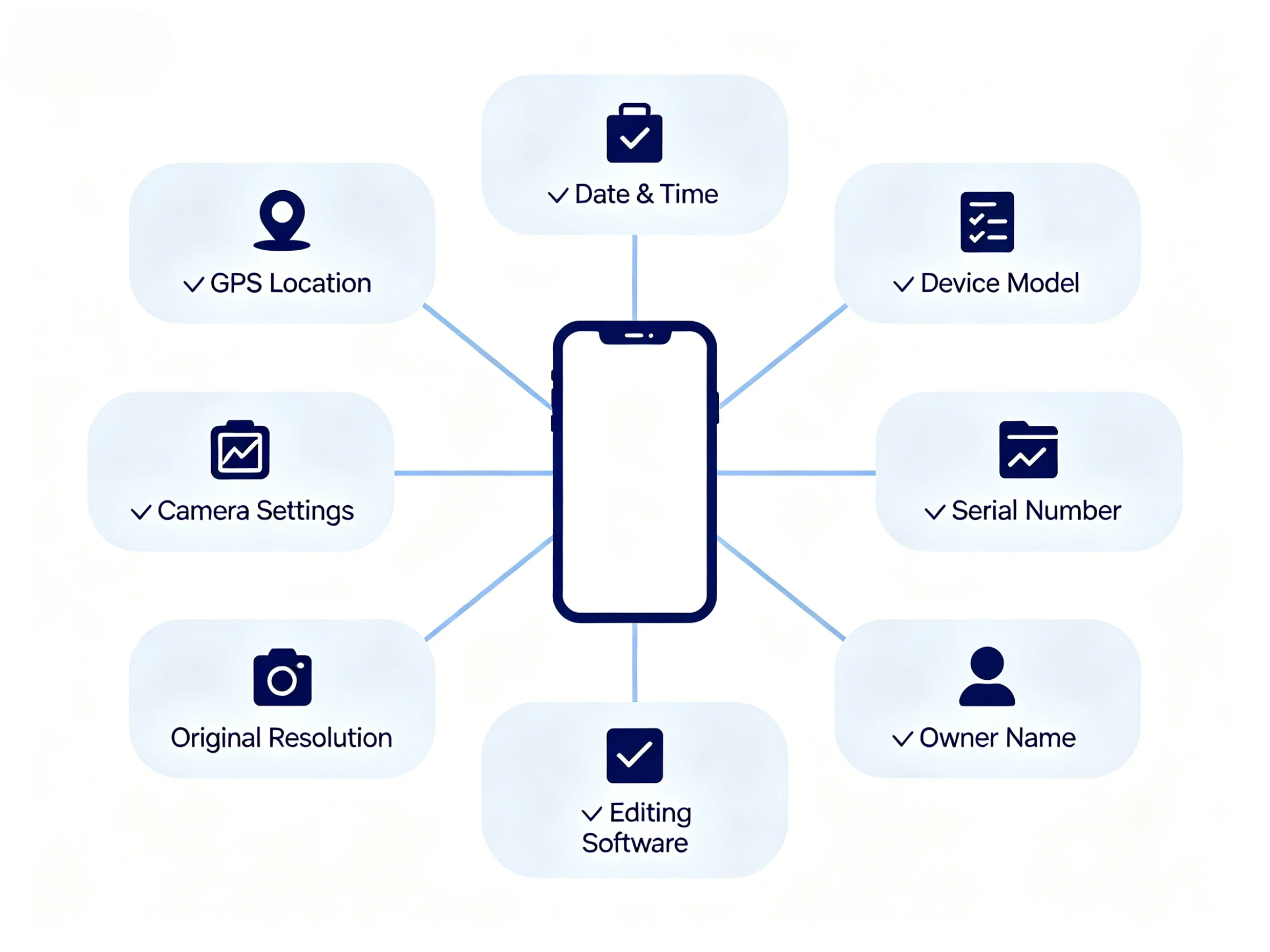
Here's a sample of what a typical smartphone photo carries:
- 📍 GPS coordinates — latitude and longitude, accurate to within a few meters
- 📅 Date and time — exact timestamp of when the shutter fired
- 📱 Device model — iPhone 15 Pro, Samsung Galaxy S24, etc.
- 🔢 Device serial number — in some cameras and phones
- 📷 Camera settings — aperture, shutter speed, ISO, focal length
- 🖼️ Original resolution — the dimensions of the unedited image
- ✏️ Editing software — whether the file was opened in Photoshop or Lightroom
- 👤 Owner name — if your camera was registered under your name
The ones that actually matter for most people are the first two: GPS and timestamp. Those are the fields that can tell a stranger where you live, where you work, and when you're away from home.
One thing worth knowing: DSLR and mirrorless cameras don't embed GPS by default unless the body has a built-in GPS module or you've paired it with a phone. Smartphones, on the other hand, turn on location tagging automatically unless you've specifically disabled it in the camera settings.
Why This Actually Matters
Here's the part most articles skip. They mention "privacy concerns" in the abstract without saying what actually goes wrong. So here are three concrete situations.
You post a photo taken at home. The file carries your GPS coordinates. Someone downloads it, runs it through a free EXIF viewer, and now has your home address. This is documented in stalking cases — it's not theoretical.
You share a photo series from a trip. Each photo has a timestamp and location. Anyone going through the files can reconstruct your exact itinerary, including which days your house was empty.
You sell something on a marketplace. You photograph the item at home. The photo carries your address. The buyer has it before they've even paid.
For most people sharing photos on Instagram or WhatsApp, this isn't a daily concern — those platforms strip EXIF on upload. The risk sits elsewhere: email attachments, forums, image hosting sites, Discord, direct file transfers. Any time you send the actual file rather than posting it through a platform, the EXIF comes with it.
How to Check What Your Photos Are Carrying
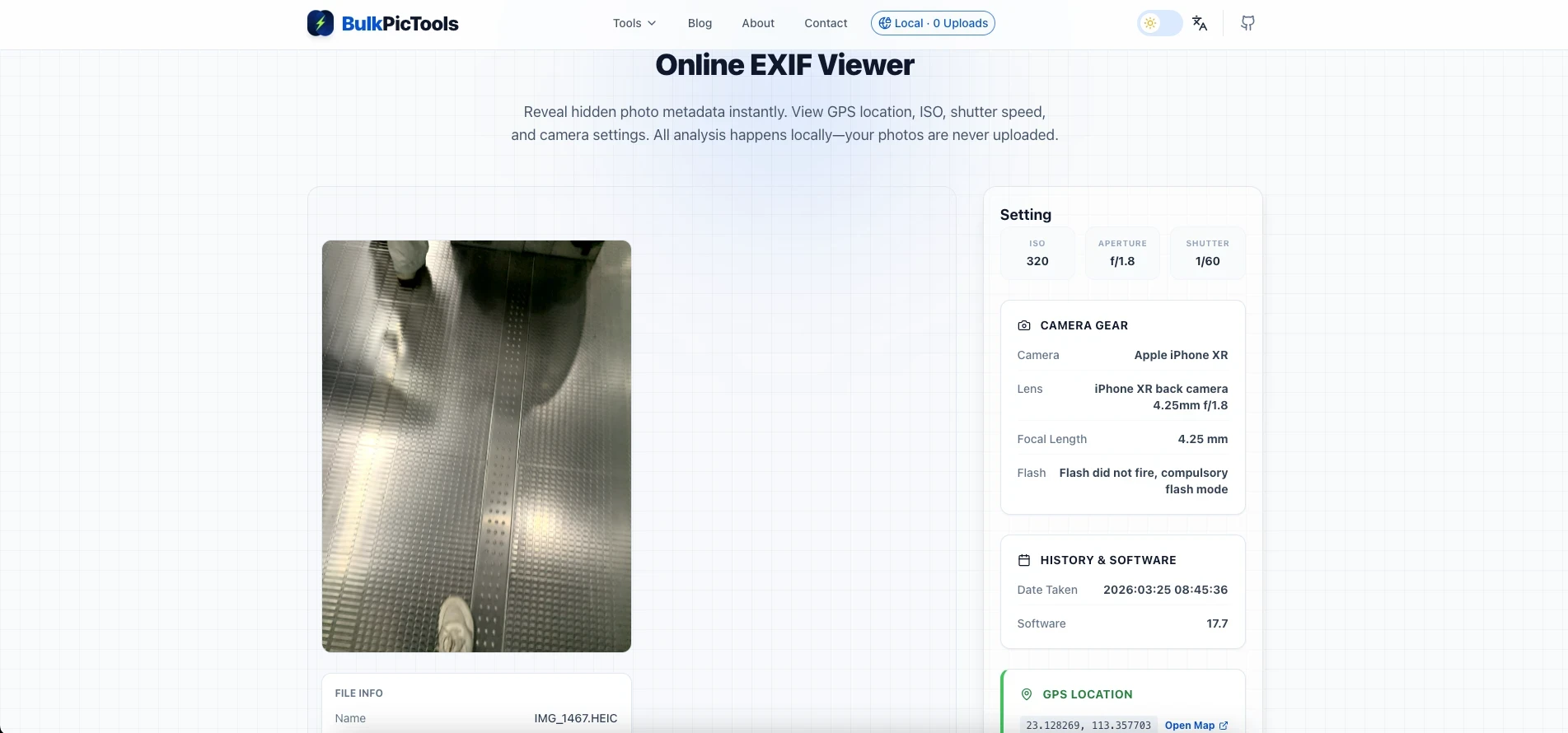
Before worrying about removal, it's worth actually seeing what's in your files. Takes thirty seconds.
Quickest option (any device): Use the EXIF Viewer — upload a photo and it shows you every field in the file. Nothing gets uploaded to a server; it reads the file locally in your browser. Look for the GPS section. If there are coordinates there, they're real and readable by anyone.
On Windows: Right-click the image → Properties → Details tab → scroll to the GPS section.
On Mac: Open in Preview → Tools → Show Inspector → GPS tab. If the GPS tab appears and has data, the location is embedded.
On iPhone: Open the photo in the Photos app → swipe up → you'll see a map with the location if GPS data is present.
The reality check most people have when they do this for the first time: the GPS coordinates in their phone photos are genuinely precise. Not "this person was in London" — more like "this person was at this specific building on this specific street."
How to Remove It
Three ways, depending on what you're working with.
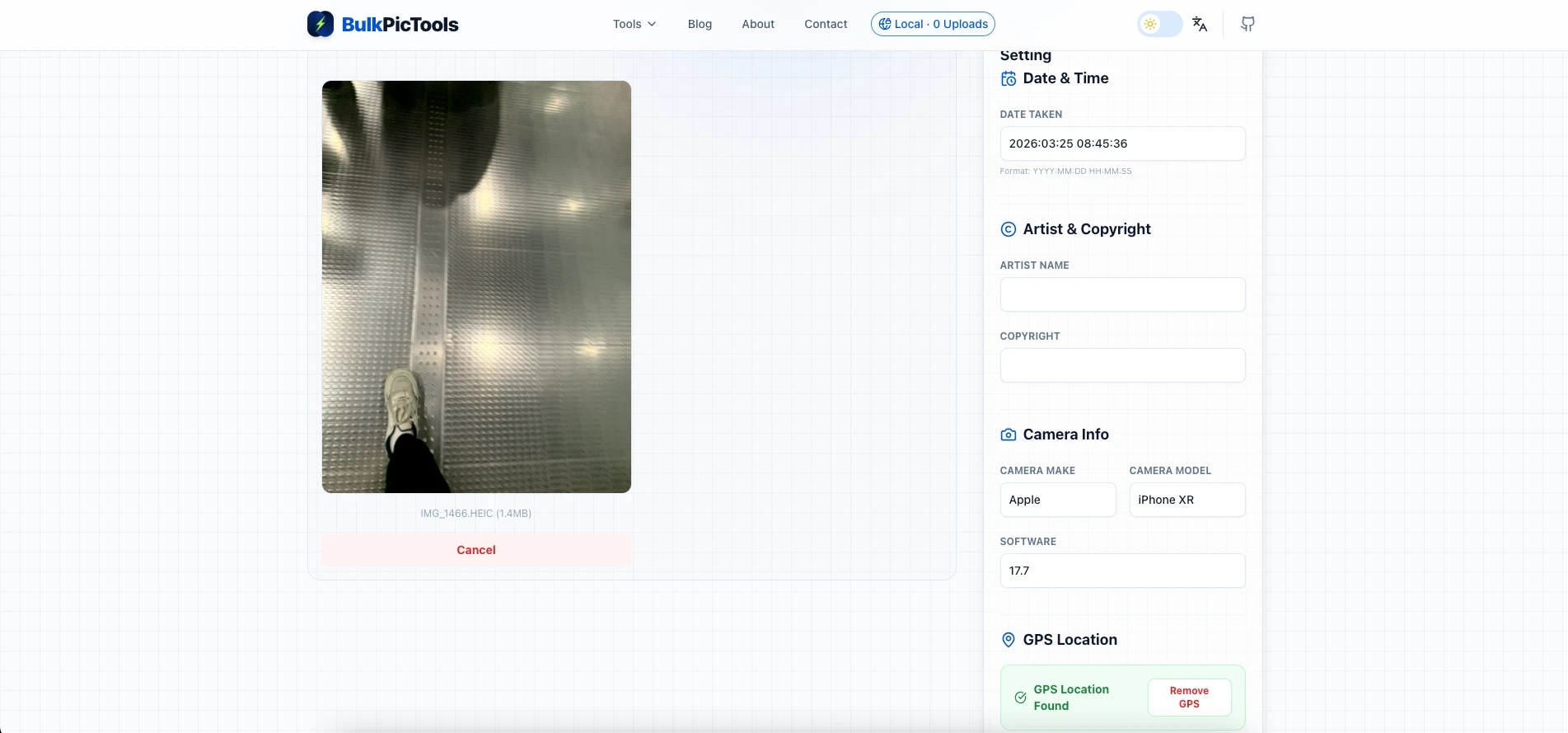
Option 1: Use the EXIF Editor (works on any device, most control)
The EXIF Editor lets you either remove specific fields or clear everything at once. "Remove GPS" takes the location data out while leaving camera settings intact — useful if you're a photographer who wants to keep the aperture and ISO for reference. "Clear All" wipes the whole block if you just want the image to be clean.
Everything runs locally. The file never leaves your browser.
Option 2: iPhone's built-in share option
When you share a photo through the iOS share sheet, tap "Options" in the top right corner before you send. You'll see a "Location" toggle — turn it off and the GPS data is stripped from that share. Only that share; the original file in your camera roll keeps the data.
This only removes location. The device model, timestamp, and other fields stay in. For most casual situations that's fine. For anything higher-stakes, use Option 1.
Option 3: Windows built-in removal
Right-click the image → Properties → Details → "Remove Properties and Personal Information" at the bottom. You can either remove everything or choose specific fields. Creates a clean copy without touching the original.
No equivalent exists natively on Mac, which is mildly frustrating.
Which Platforms Strip EXIF Automatically
The short answer: the big social platforms do, but direct file transfers don't.
| Platform | EXIF Stripped on Upload | Notes |
|---|---|---|
| ✅ Yes | Fully stripped on upload | |
| ✅ Yes | Stripped on upload | |
| Twitter / X | ✅ Yes | Stripped on upload |
| WhatsApp (mobile) | ✅ Yes | Stripped when compressed |
| WhatsApp (Web, original quality) | ⚠️ Partial | Original file send may retain EXIF |
| Telegram (regular message) | ✅ Yes | Stripped when compressed |
| Telegram (File mode) | ❌ No | Sends original file with full EXIF |
| Gmail attachment | ❌ No | Full EXIF preserved |
| Discord | ❌ No | Full EXIF preserved |
| ✅ Yes | Stripped on upload | |
| Forums / image boards | ❌ Usually not | Varies by platform |
| Direct file transfer (AirDrop, USB) | ❌ No | Full EXIF preserved |
The pattern: any platform that re-encodes or compresses your image before storing it will strip EXIF in the process. Platforms that store and serve the original file won't. Email, Discord, and direct file transfers all fall into the second category.

A Note on the "But I Have Nothing to Hide" Argument
Worth addressing directly because it comes up whenever privacy topics are discussed.
The issue isn't that any individual piece of information is damaging on its own. It's that GPS coordinates in photos are a very specific type of data — they reveal physical location in the real world, not online behavior. That's a different category of exposure. Someone knowing your browsing habits is annoying. Someone knowing where you sleep is a different kind of problem.
The people for whom this matters most — people in difficult domestic situations, journalists protecting sources, anyone dealing with harassment — can't always identify themselves in advance. Stripping EXIF by default costs nothing and takes seconds. The upside is asymmetric.
Three Scenarios Where It's Worth Keeping Some EXIF
Not everything is about removal. A few situations where leaving certain fields in makes sense:
Selling a camera or phone on a marketplace. Keeping the device model in the photo metadata adds credibility — it shows the photo was actually taken by that device. Strip the GPS, keep the camera info.
Photography portfolio. Your aperture, ISO, and focal length tell other photographers something about how you work. If you want that context to travel with the image, keep those fields. Just remove the location.
Archiving old scanned family photos. Scanned photos often get tagged with today's date rather than when the photo was taken. The EXIF Editor lets you correct the date field so the image sits in the right place in your timeline on Google Photos or Apple Photos. More useful than deletion here.
The Actual Routine
Before posting anything to a public forum, sending as an email attachment, or sharing via Discord:
- Open the EXIF Editor
- Drop in the photo — or a whole batch at once
- Hit "Remove GPS" if that's all you need, or "Clear All" for a clean file
- Download and send
Takes about fifteen seconds. The main habit to build is doing it before sending, not after.
FAQ
What is EXIF data in simple terms?
It's hidden text embedded in your photo file. When your phone takes a picture, it automatically saves information alongside the image itself — where you were, when it was taken, what device you used. You can't see it by looking at the photo, but it's there and readable by anyone who knows how to check.
Does removing EXIF data change the photo quality?
No. EXIF data is stored in the file header — separate from the actual image pixels. Stripping it doesn't touch the visual content. The photo looks exactly the same; it just has less information attached to it.
Which photos are most likely to have GPS data?
Any photo taken on a smartphone with location permissions enabled for the camera app. Check your phone's settings: if the Camera app has "Location" access turned on, every photo you take is being tagged. DSLR and mirrorless cameras usually don't have GPS unless the body specifically includes it.
Can I view EXIF data without installing software?
Yes. The EXIF Viewer works in any browser and reads the file locally — nothing gets uploaded. On Windows you can also right-click → Properties → Details. On Mac, open in Preview → Tools → Show Inspector.
Does Instagram remove EXIF data when I upload a photo?
Yes. Instagram, Facebook, Twitter/X, and WhatsApp (mobile) all strip EXIF data when you upload or send photos through the app. The risk is when you send the actual file directly — email attachments, Discord, Telegram's file mode, or any direct transfer where the platform doesn't re-encode the image.
Can I remove EXIF from multiple photos at once?
Yes — the EXIF Editor handles batch processing. Drop a folder of photos in and strip the metadata from all of them in one go.
Does Discord remove EXIF data from photos?
No. Discord preserves the original file — when you upload an image, the full EXIF data including GPS coordinates stays intact. Anyone who downloads the file can read it. If you share photos on Discord, strip the EXIF first using the EXIF Editor before uploading.
Does Gmail strip EXIF data from attachments?
No. Gmail sends attachments as-is, with all EXIF data preserved. Unlike platforms that re-encode images on upload, Gmail delivers the original file to the recipient. This means GPS coordinates, device model, and timestamps all travel with your photo attachment.
Does Twitter / X remove EXIF data from uploaded images?
Yes. X (formerly Twitter) strips EXIF data when you upload a photo through the app or web interface. The platform re-encodes images on upload, which removes the metadata in the process. This applies to standard uploads — if you share a direct file link pointing to the original, the EXIF may still be present.
Have questions or feedback? Contact