
How to Batch Process ID Cards Safely:A Local-First Private Image Editor Guide
Ready to handle your sensitive documents with 100% privacy? Rotate, crop and strip EXIF from a whole batch in your browser — nothing is uploaded.
The Hidden Risks of Cloud Image Editors
We have all been there. You need to rotate an ID card or crop a passport photo for a visa application, so you drop it into the first "Free Online Image Editor" you find.
Here is the cold truth: the moment that upload bar hits 100 percent, you have lost control of your data. Even if the site claims to "delete files after one hour," the image has already traveled through multiple servers and caches. For sensitive documents like tax returns or national IDs, temporary storage is simply not safe enough.
Why Local-First is the Only Secure Way
True privacy means your files never leave your computer. Our platform leverages the Web Canvas API, a powerful browser technology that allows for pixel-level manipulation without server involvement.
According to the MDN Web Docs, this API provides a way for drawing graphics and processing images directly via JavaScript. By using this technology, BulkPicTools handles every single pixel within your browser’s RAM.
The Proprietary Logic: In-Memory Pipeline Processing
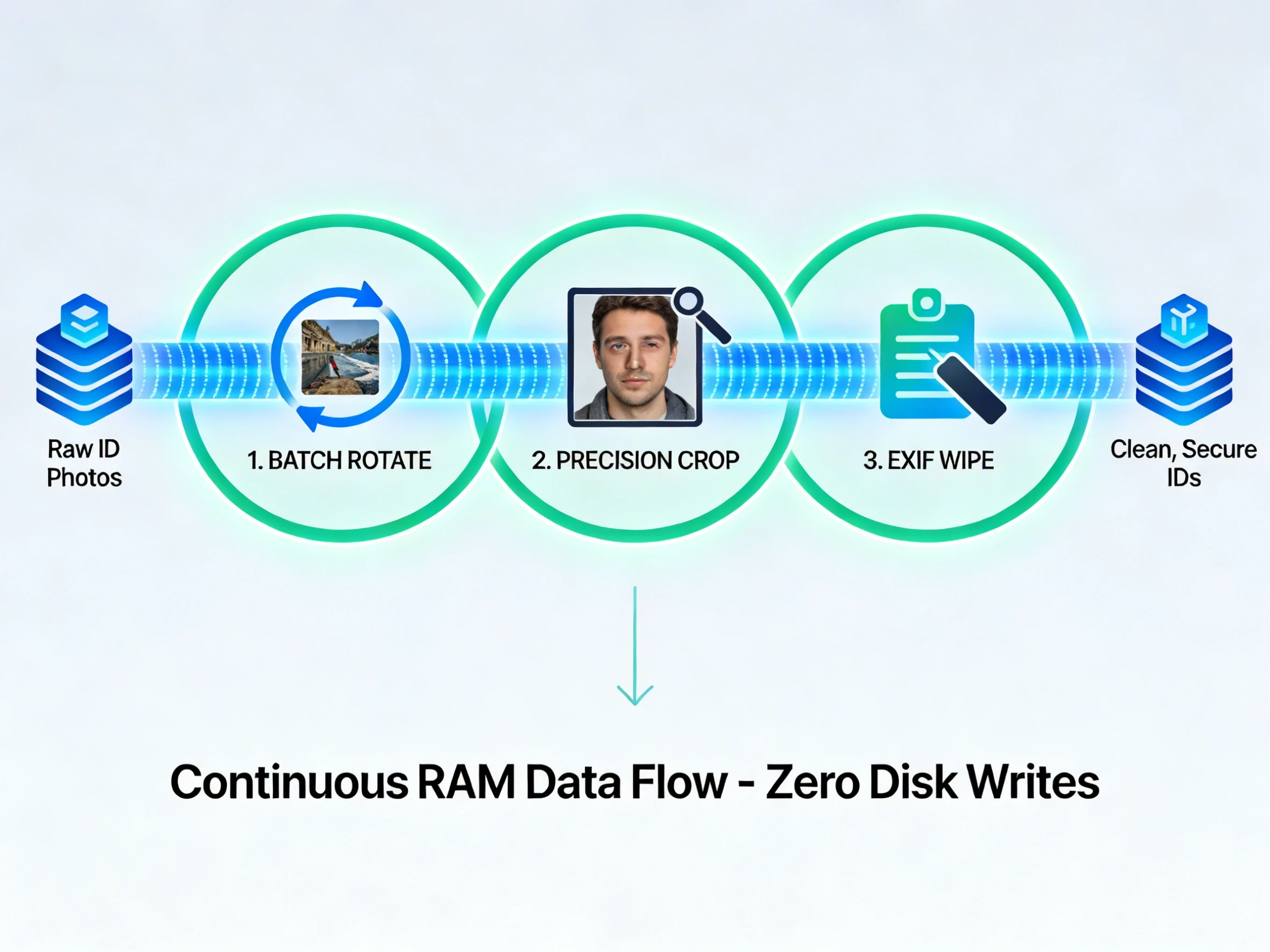
How the Pipeline Works:
In most online editors, the workflow looks like this:
- Upload -> Rotate -> Download.
- Re-upload -> Crop -> Download.
This creates multiple physical copies of your sensitive data on your hard drive.
Our Bulk Image Editor uses an In-Memory Buffer. The output of the rotation tool is stored in a temporary virtual container in your RAM and passed directly as the input for the cropping tool. This means:
- Zero intermediate files are written to your disk.
- Your data exists only in an encrypted, volatile memory state until you choose to save the final version.
A 3-Step Secure Workflow for Your IDs
Step 1: Batch Rotate with Precision
Phone cameras often capture documents at the wrong angle. Using our Image Rotator, you can fix the orientation of 50 IDs at once. Since the processing is done locally, the speed is limited only by your computer’s CPU, not your internet upload speed.
Step 2: Precision Cropping for Privacy
Next, the memory-stored data flows into the cropper. This allows you to strip away background details—like your kitchen table or personal items—ensuring only the official document is visible.
Step 3: Deep Exif Cleaning
Before final export, our Exif Editor wipes the digital fingerprints. Every smartphone photo contains metadata like GPS coordinates and camera serial numbers. We strip this data at the byte level to prevent any potential tracking.
Conclusion: Efficiency Meets Absolute Privacy
Handling sensitive documents should not feel like a gamble. By using a pipeline-based, local-only workflow, you maintain 100 percent ownership of your data.
Ready to experience a more secure way to edit?
👉 Try the Pipeline Bulk Editor Now
FAQ
1. Is it safe to rotate my ID photo online?
It is only safe if the tool uses client-side processing. BulkPicTools processes your images directly in your browser's RAM, meaning your sensitive IDs are never uploaded to any server.
2. What is the benefit of pipeline image editing?
Pipeline processing allows you to chain tasks like rotating, cropping, and EXIF cleaning without downloading intermediate files, which minimizes the digital footprint of your sensitive data.
Have questions or feedback? Contact