
2026 Blogger Guide:How to Protect Privacy and Remove Geotags While Making GIFs
Convert your images to animated GIFs 100% locally. No uploads, no data leaks, and automatic EXIF cleaning in one click.
The Digital Treasure Map in Your GIFs
Sharing a quick GIF of your new home office or an unboxing video is a brilliant way to boost engagement. However, here is a scary thought: that harmless animation might be a digital treasure map leading straight to your front door.
Every time you take a photo with your smartphone, it embeds EXIF data. This metadata includes your precise GPS coordinates, the exact time of the shot, and your device serial number. When you use a standard online GIF maker, those source photos are often combined into a final file that still carries those digital fingerprints.
Why Cloud GIF Makers are a Privacy Risk
The fundamental problem with most web tools is the Upload-Process-Download cycle. Traditional tools focus on animation speed but ignore the data layers hidden beneath the pixels. If you are a blogger or influencer, your privacy is your safety. You cannot afford to leak your home location every time you post a behind-the-scenes snippet.
This is why we built our tools to be 100 percent local. By using modern browser technologies, your photos never leave your device. They stay in your RAM, not on a random cloud server.
The Pipeline Advantage: Creating Clean GIFs Instantly
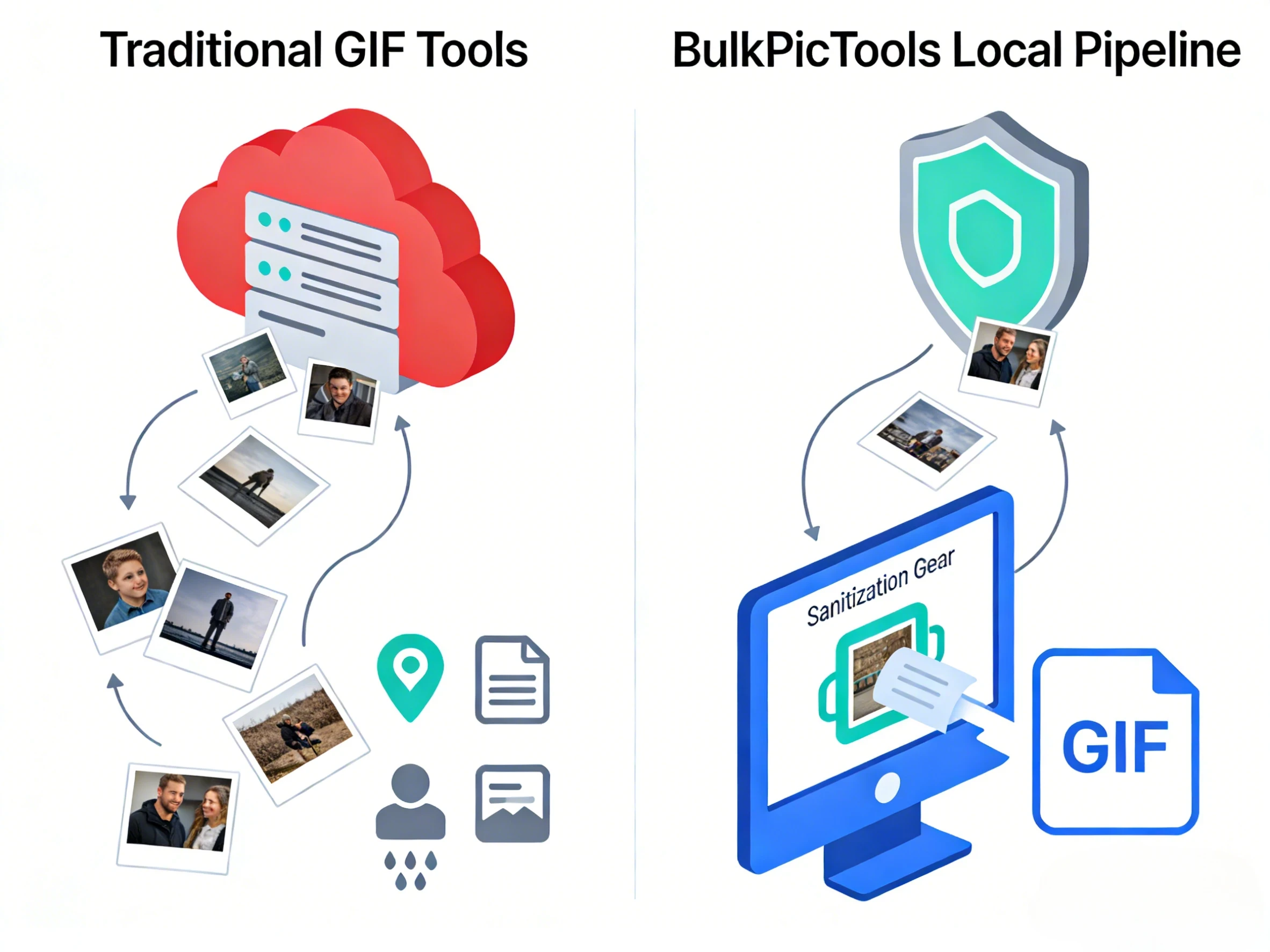
With our Images to GIF tool, we have introduced a feature called In-Memory Pipeline Processing. Instead of generating a GIF and then needing a separate tool to clean it, the process happens in one seamless flow:
- Source Ingestion: You drop your photos into the browser.
- Live Animation: You adjust the timing and loop settings locally.
- Automatic Desensitization: Before the final GIF is rendered, our system triggers the Exif Editor logic to strip every single byte of metadata in the background.
By the time you hit download, the GIF is already clean. This data-never-touches-disk approach ensures that even on your own computer, there are no messy temporary files containing your private location data.
Practical Steps for Secure Content Creation
To maintain a secure workflow in 2026, bloggers should follow these three rules:
- Avoid Middlemen: Do not use tools that require an account or a cloud upload for simple image conversions.
- Check Your Metadata: Always run your final social media assets through an EXIF inspector.
- Use Pipeline Tools: Prefer editors that allow multiple operations (like resize, rotate, and strip) in a single session to minimize data exposure.
Conclusion: Professionalism Includes Security
The most successful content creators are the ones who respect their audience and their own privacy. Don't let a simple GIF compromise your safety. By switching to a Bulk Image Editor that prioritizes local pipeline processing, you can create high-quality, viral content without the hidden risks.
👉 Try the Private GIF Maker Today
FAQ
1. Can GIFs contain GPS or location data?
Yes. If the source images contain EXIF data, many GIF makers will preserve this information in the final file. It is crucial to use a tool that strips this data during the creation process.
2. Is it safe to use online GIF makers for personal photos?
Traditional online makers upload your photos to their servers. For maximum privacy, use a local-only tool like BulkPicTools where all processing happens in your browser's RAM.
Have questions or feedback? Contact